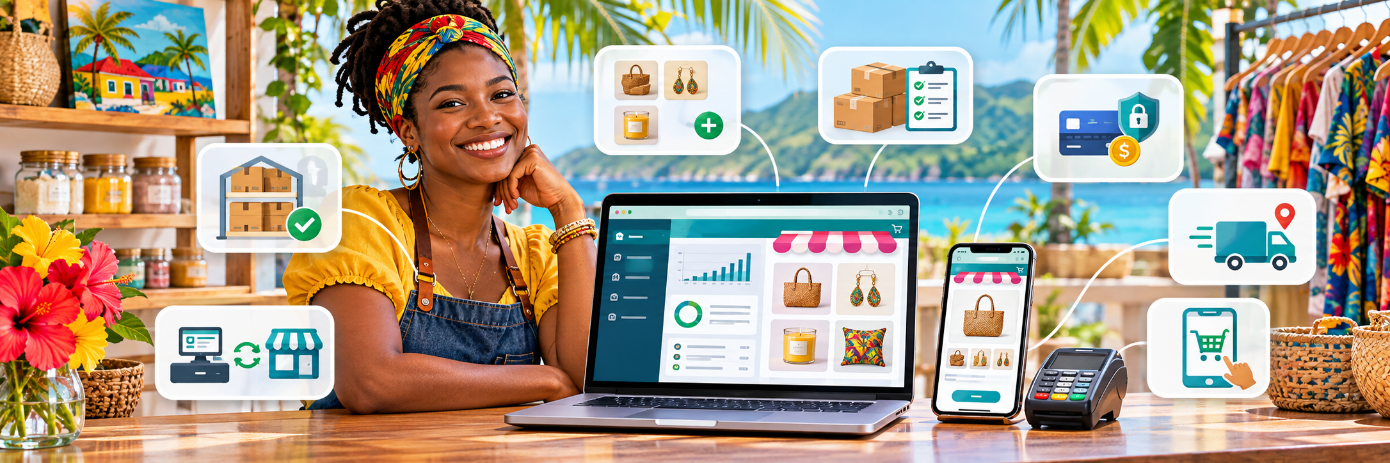


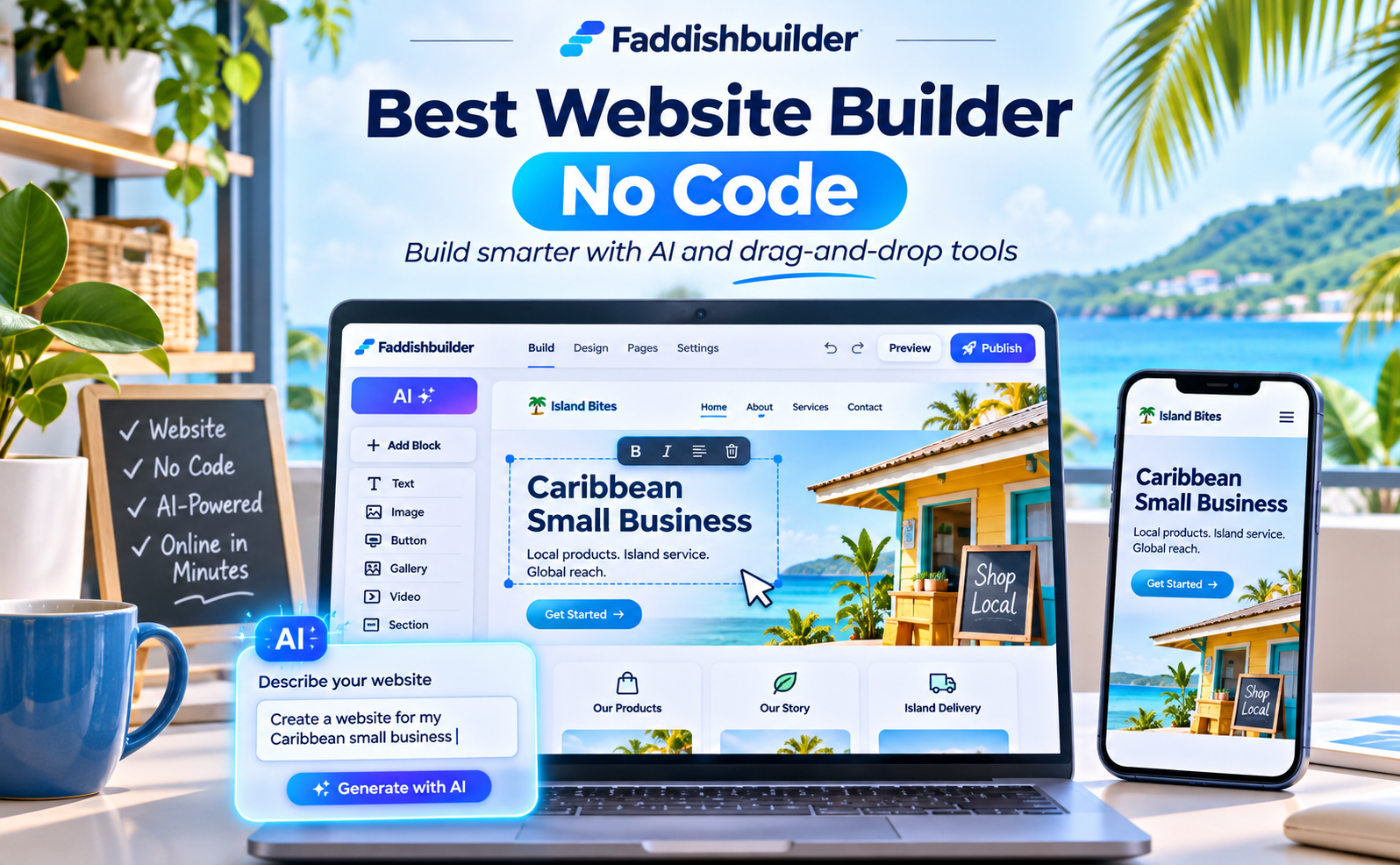
Searching for the best website builder no code solution for your business? You do not need to learn HTML, hire a developer, or spend weeks putting together a professional website. With an AI-powered website builder, you can describe your business, generate a starting design, customize it visually, and publish a site that helps customers find you, book services, or shop online.
The important part is choosing a platform that does more than create an attractive homepage. Your website should be easy to update, work well on mobile devices, support search engine optimization (SEO), and connect with the tools you use to run your business. That is where Faddishbuilder's AI Website Builder comes in, especially for businesses across Jamaica, Trinidad and Tobago, the Bahamas, and the wider Caribbean.
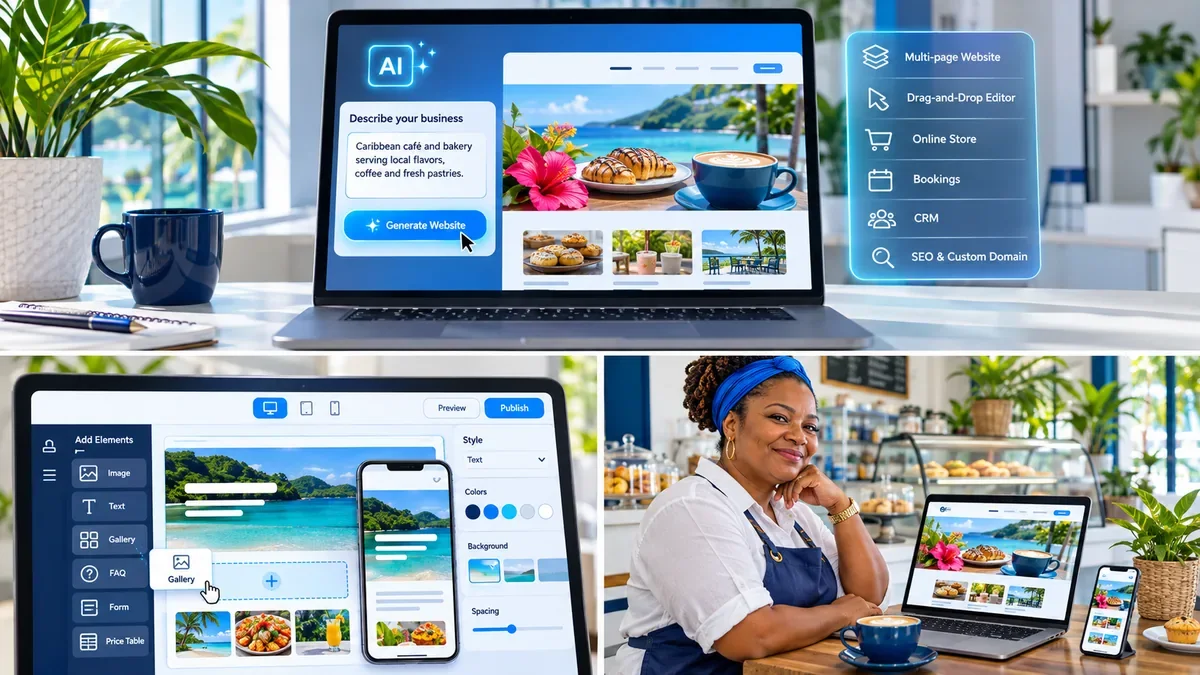
Illustration: An AI-assisted website creation workflow, visual editing, and a mobile-friendly business site. Concept artwork, not an actual product screenshot.
What Does “Best Website Builder No Code” Actually Mean?
A no-code website builder lets you create and manage web pages without writing programming languages such as HTML, CSS, or JavaScript. Instead of editing source code, you work with visual elements such as headings, images, buttons, forms, galleries, and page sections.
An AI website builder goes a step further. You tell it what kind of business you operate, which pages you need, and what style you prefer. The AI prepares a starting website that you can review and refine. AI speeds up drafting, but you still control your brand, wording, images, and customer journey.
The best choice is not necessarily the tool with the most templates. It is the one that fits your business goals, budget, technical comfort level, and plans for growth. For a restaurant, online ordering may matter most. For a salon, the priority may be appointment booking. For a consultant, clear service pages and lead forms could be more important than a shopping cart.
Key features to look for in an easy website builder
- AI-assisted setup: Generate a first draft from a simple business description.
- Drag-and-drop editing: Change layouts, text, images, and calls to action without coding.
- Responsive design: Review and adjust pages for phones, tablets, and desktops.
- SEO settings: Manage page titles, meta descriptions, image text, and search-engine discovery basics.
- Custom domains: Publish on an address that matches your business identity.
- Business integrations: Add booking, ecommerce, forms, and payments as needed.
- Room to grow: Update pages, publish blogs, and add new services without rebuilding the entire site.
Why Faddishbuilder Is a Strong No-Code Website Builder for Small Businesses
Faddishbuilder's no-code AI website platform combines AI-assisted page generation with visual editing and connected business applications. Rather than treating the website as an isolated brochure, it gives business owners a starting point for creating an online presence that supports actual business operations.
1. Generate website pages with AI
Start with your business name, a short description, your industry, and the style you want. Faddishbuilder can draft your website structure, including the header, footer, navigation, and pages. You can select common pages such as Home, About, Services, Contact, Blog, or Store, then decide what needs editing before launch.
The AI-produced draft saves you from beginning with a completely blank screen. It is a starting point, not a substitute for checking business details, product information, and claims before publishing.
2. Customize everything with drag-and-drop tools
Once your website is generated, use the visual editor to make it your own. Adjust text, photos, colors, spacing, and layouts; add galleries, videos, FAQs, price tables, maps, and contact forms; and use the AI assistant to help revise a section.
You are not locked into the first design. You can also start from a template if you prefer more hands-on control.
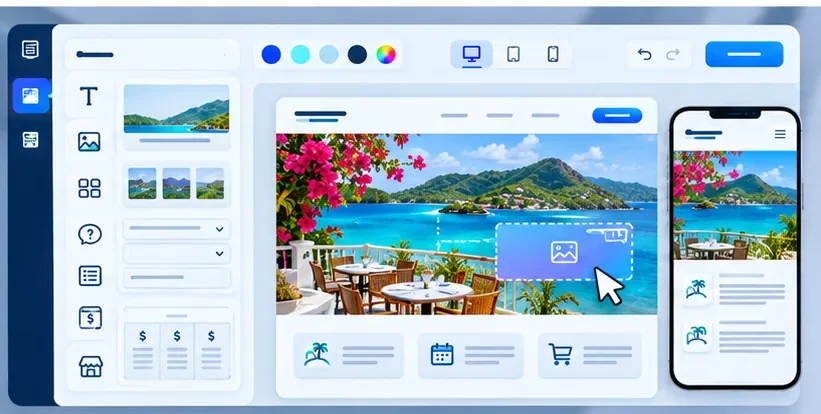
Illustration: Visual page-editing controls and desktop/mobile previews. Concept artwork, not an actual Faddishbuilder interface screenshot.
3. Build for mobile visitors from the start
Customers often find local businesses while scrolling on their phones. A layout that looks excellent on a laptop may still be hard to use on a small screen. Faddishbuilder provides desktop, tablet, and mobile previews and controls for adjusting the layout across screen sizes.
Before publishing, check whether visitors can read your headlines, tap your buttons, complete forms, and reach your contact details without frustration.
4. Set up important SEO elements
A no-code website should still give you control over how your pages appear in search results. Faddishbuilder includes settings for meta titles, meta descriptions, social sharing information, sitemaps, and robots.txt. These features support search visibility, although rankings still depend on useful content, site quality, competition, and other factors.
5. Connect the website to the rest of your business
A website can help generate sales and appointments when it is connected to the right tools. Faddishbuilder supports integrations with its online store, FaddishBooking appointment system, and FaddishCRM, with payment options available through supported plans and providers.
How to Build a Website Without Coding Using Faddishbuilder
Here is a practical workflow for a business owner who wants to go from an idea to a published website.
Step 1: Decide what your website needs to accomplish
Do not start with colors and fonts. Start with a single primary business goal: receiving enquiries, booking appointments, selling products, or building trust. Then choose the pages and calls to action that support that goal.
For example, a tour company might need Home, Tours, About Us, FAQs, and Contact. A beauty salon could use Home, Services, Book Now, Gallery, and Contact.
Step 2: Open the AI website builder
Visit the Faddishbuilder AI Website Builder and choose the option to get started. Enter your business information, choose your preferred pages and branding, and allow the AI builder to create an initial draft.
Step 3: Give AI a clear, detailed prompt
The quality of your first draft depends partly on the information you supply. Rather than writing “build me a website,” explain what you sell, whom you serve, and what action you want visitors to take.
Example prompt for a Caribbean service business:
Create a modern, mobile-friendly website for a Kingston, Jamaica, beauty salon called Island Glow Studio. Use warm neutral colors with coral accents. Include a homepage, services and pricing, photo gallery, about page, FAQs, and contact page. Make “Book an Appointment” the main button. Highlight braiding, natural hair care, and bridal styling. Use a professional, welcoming Caribbean tone and make the website easy to navigate on a phone.
This gives the AI a clear audience, content structure, visual direction, and conversion goal. Replace the example with your real business details and verify every generated statement.
Video tutorial: Create a website with Faddishbuilder Vibe Coding AI
See the AI website-building process in action. This video demonstrates Faddishbuilder Vibe Coding and how an AI-assisted workflow can help turn a business idea or description into a website. Use it alongside the prompt example above to build your first draft.
Video not showing? Watch the Faddishbuilder Vibe Coding AI builder video on YouTube.
Step 4: Refine the AI-generated design
Review each page in the drag-and-drop editor. Replace sample imagery with your own high-quality photos, revise the copy to reflect your services, and check that the main button leads to the correct destination. Make your pricing, contact details, and policies easy to understand.
Step 5: Fine-tune your website manually or with AI chat
After the AI builder generates your website, you can customize individual areas in two ways. Use Faddishbuilder’s drag-and-drop page builder to manually change text, photos, colors, layouts, sections, and buttons. Alternatively, use the AI chat box to describe the specific changes you want, such as “Make the heading shorter,” “Change the background color to blue,” or “Add a testimonials section.” Review the results and fine-tune anything that needs your attention.
The following tutorial focuses on manual editing with the Faddishbuilder drag-and-drop page builder, so you can see how to make direct visual changes after your initial AI-generated design is ready.
Video tutorial: How to edit your website with drag-and-drop
Video not showing? Watch the drag-and-drop website editing tutorial on YouTube
Step 6: Add business features when you need them
For a salon, connect a booking experience through FaddishBooking. For a retail store, add products and checkout through the Faddishbuilder online store. If customers need to request quotes, include a contact form with a clear response process. Match the features to your customer journey instead of adding tools just because they are available.
Step 7: Optimize, preview, and publish
Write a unique title and meta description for each important page, check heading structure, give images descriptive alt text, and review the site on desktop and mobile. Connect your own domain if you have one, follow the DNS setup process, and publish after testing every key link and form. Faddishbuilder supports domain connection and SSL once configuration is verified.
Practical Example: A No-Code Website for a Caribbean Business
Imagine a small café in Montego Bay that wants to attract tourists and residents without hiring a web developer. Its website should answer five questions immediately: Where are you? What do you serve? When are you open? How can I order? How do I contact you?
With a no-code AI website creator, the owner could build a homepage with a concise welcome message, menu highlights, location information, customer photos, opening hours, and a prominent ordering or contact button. As the business grows, it can add ecommerce features for selected products and use its website's built-in blog to publish updates or seasonal menus.
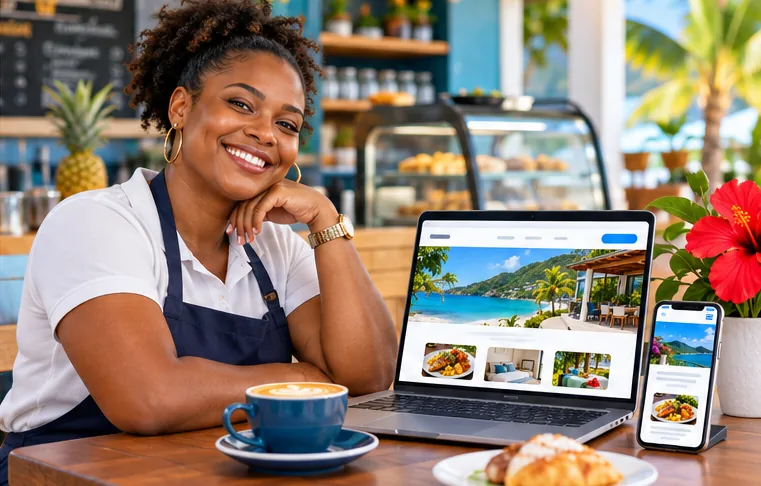
Illustration: A Caribbean entrepreneur reviewing a business website on multiple devices. Concept artwork.
The same approach works for other business models:
- Salons and barbershops: Display services, show work in a gallery, and add online appointments.
- Tour operators: Explain packages, share destination information, and collect tour enquiries or bookings.
- Retail stores: Present products, organize categories, and enable checkout with supported payment methods.
- Consultants and freelancers: Publish service packages, case studies, FAQs, and enquiry forms.
- Restaurants and cafés: Share menus, business hours, directions, and ordering options where configured.
The lesson is simple: start with the customer action that matters, then design the site around it.
SEO Checklist: How to Make Your No-Code Website Easier to Find
Using an SEO-friendly website builder is useful, but SEO does not happen automatically after you press Publish. A strong website needs clear content, relevant search terms, and a smooth visitor experience.
Choose a primary keyword for each page
For your homepage, the target could be “hair salon in Kingston” or “Montego Bay café.” A service page might target “knotless braids in Kingston” or “private airport transfers in Turks and Caicos.” Write for the customer first and use the keyword naturally in the heading, introductory copy, and title tag where it fits.
Write useful, specific page titles and descriptions
Each important page should have a distinctive title that communicates its topic. For example:
SEO title: Natural Hair Salon in Kingston | Island Glow Studio
Meta description: Book natural hair care, braiding and styling at Island Glow Studio in Kingston, Jamaica. Explore services, view our work and request an appointment.
A compelling description can help searchers decide to visit, although Google may choose different text to display.
Use headings, internal links, and image alt text properly
Give each page one clear H1 heading, then use descriptive H2 and H3 headings to organize the information. Add internal links between related services and articles so visitors can find what they need. Write alt text that explains the image meaningfully, especially for service photos and products. Avoid repeating the same keyword unnecessarily.
Publish content that answers real customer questions
A built-in blog can support informational searches. A beauty salon could publish “How to Prepare for a Protective Style Appointment,” while a tour company could create “What to Pack for a Boat Tour in the Bahamas.” Link those posts to the most relevant service or booking page.
Handle the technical basics and test the experience
Check your site on a phone, make sure buttons are easy to tap, compress large images, and confirm that important pages can be discovered through your sitemap. Use Faddishbuilder's SEO settings, then consider tools such as Google Search Console to monitor indexing and search performance after launch. For a physical business, keep your Google Business Profile details accurate and consistent with your website.
Beyond Website Design: Tools That Help You Run Your Business
Choosing the best no-code website builder for small business is also about what happens after a customer arrives on your site. Faddishbuilder offers connected tools for several common operations:
| Business need | Relevant Faddishbuilder tool | Practical use |
|---|---|---|
| Sell products online | Online Store | Add products, variants, shipping options, and checkout. |
| Accept appointments | FaddishBooking | Let customers select services and available times. |
| Manage enquiries and customers | FaddishCRM | Organize contacts, tasks, and follow-ups. |
| Share payment requests | FaddishPay | Create payment links when a supported payment setup is active. |
| Sell in person | FaddishPOS | Manage counter sales and use an online store catalogue where configured. |
| Publish helpful content | AI Website Builder and Blog | Add articles and updates to support customer discovery. |
For Caribbean merchants, local-currency options and regional payment gateway support may be particularly relevant. Available gateways, payment features, and transaction requirements depend on the merchant's country, provider, and chosen plan; confirm compatibility before launching checkout.
How to Choose the Best No-Code Website Builder for Your Needs
Before committing to any platform, evaluate the complete experience—not just the homepage demo. These questions help you make a better decision:
- Can you update your website yourself? Check whether you can change content and layout after publishing.
- Can visitors use it comfortably on mobile? Preview the site and complete a test enquiry or purchase.
- Does it support your business model? Confirm booking, store, forms, or blog functions where needed.
- Can you manage essential SEO settings? Look for titles, descriptions, clean page structure, and sitemaps.
- Can you use your own domain? Check domain connection and SSL configuration.
- What is included in each plan? Compare limits, add-ons, hosting, payment requirements, and costs.
- Is it suitable for your market? A Caribbean business should verify regional currency and payment support rather than assume every platform works the same everywhere.
Faddishbuilder is worth exploring if you want a no-code website with AI assistance and a connected business platform. As with any tool, the right fit depends on which features you will actually use.
Is There a Free No-Code Website Builder Option?
Faddishbuilder lists a Free plan with website-building and AI-building access, alongside paid plans for additional functionality. Some capabilities—particularly ecommerce, payments, or other business applications—may require a paid plan, trial, add-on, or external payment-provider account. Review the latest Faddishbuilder plans and pricing before making a purchase decision.
For a new business, a sensible approach is to publish a useful, well-written website first, confirm that customers can find and contact you, and expand into bookings or ecommerce when those functions create measurable value.
Frequently Asked Questions About No-Code Website Builders
What is the best website builder no code for beginners?
The best option is one you can use confidently without programming. Prioritize simple setup, visual editing, mobile-friendly design, essential SEO controls, and the business features you need. Faddishbuilder's AI Website Builder is an option for beginners who want AI assistance plus connected tools.
Can AI build a professional website without coding?
Yes. AI can create an initial website structure and content from your business description, while a visual editor lets you change the details. You should still review facts, branding, imagery, mobile layout, forms, and links before publishing.
Is a no-code website good for SEO?
It can be. SEO depends on valuable content, helpful page structure, crawlability, performance, and relevance—not on whether you wrote the site manually. A no-code builder with editable titles, descriptions, alt text, and sitemap support makes essential optimization tasks more accessible.
Can I connect a custom domain to Faddishbuilder?
Yes. Faddishbuilder supports connecting a domain you own, checking DNS records, and enabling SSL after configuration is verified.
Can I create an online store or booking website with no code?
Yes. Faddishbuilder's website can connect to its online store and FaddishBooking features. The exact capabilities and payment setup depend on your chosen plan and merchant configuration.
Do I need to know HTML, CSS, or JavaScript?
No. The AI-assisted workflow and visual editor are designed to let you create and edit website pages without writing those languages.
Build Your Website With Faddishbuilder AI
You do not have to be a developer to establish a credible online presence. The right no-code website builder should help you move from an idea to a useful, attractive website—and give you a practical way to improve it as your business grows.
If you are ready to create a website that represents your brand, works across devices, and can grow into bookings, ecommerce, and customer management, explore the Faddishbuilder AI Website Builder. Describe your business, customize your design, and start building without code.