


Running a boutique in Jamaica, selling handmade products in Barbados, or growing a food brand in Trinidad and Tobago? An online store can help customers discover your products, see accurate prices, place orders, and choose how they want to pay—all without waiting for you to answer every message.
But launching an online store for a small business in the Caribbean means planning for realities that generic ecommerce advice often overlooks: local currencies, regional payment gateways, island-by-island delivery, mobile-first shoppers, and businesses that sell both in-store and online.
This guide explains what to prepare, how to launch with Faddishbuilder, and what to do after your first order. You do not need to be a programmer to follow it.

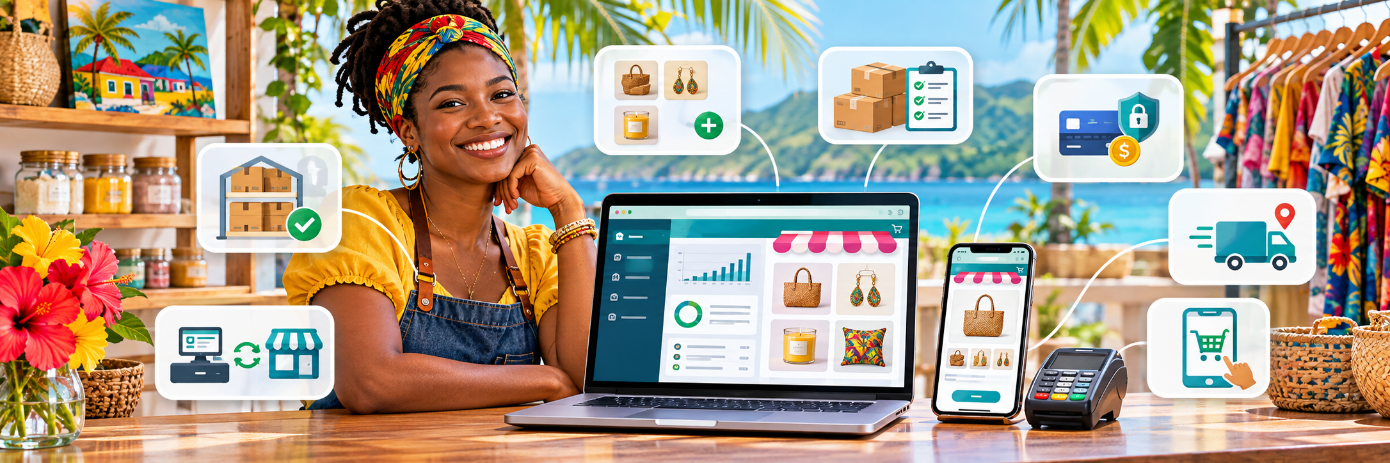
Caribbean entrepreneurs can turn product discovery into a straightforward online buying journey.
Why a Caribbean small business needs more than a social media page
Instagram, Facebook, TikTok and WhatsApp are useful for discovery and conversations. However, when every sale happens in a direct message, you may spend hours confirming product availability, sending bank details, calculating delivery fees and answering the same questions.
A dedicated Caribbean ecommerce website gives customers a consistent place to browse your catalogue, select sizes and colours, see shipping options and complete checkout. Social media can then drive visitors to a storefront that is always ready to take an order.
For example, a small fashion retailer in Kingston could post a new collection on Instagram, link followers to its product page and let shoppers in Montego Bay choose delivery or pickup. The business owner can then manage the order from one dashboard instead of searching through message threads.
The goal is not to abandon WhatsApp or social selling. It is to connect those channels to a more reliable purchase process.
Before you build: plan your products, customers and costs
Start with a practical checklist rather than an expensive website design project.
- Choose a focused product range. Begin with 10–20 products you can reliably stock, photograph and fulfil. You can expand once your processes work.
- Know who you serve. Are you selling mainly to customers in your parish, across your country, to neighbouring islands or to the Caribbean diaspora? Your answer affects currency, delivery and customer service.
- Calculate your margins. Account for product cost, packaging, transaction charges, delivery subsidies, returns and any applicable taxes.
- Prepare your business details. Have a brand name, contact information, product photos, bank or payment-provider details and clear policies.
- Decide how orders reach customers. Plan local pickup, parish-wide delivery, domestic shipping or cross-border fulfilment before taking the first payment.
Example: If a product sells for J$5,000 and your illustrative costs are J$2,100 for inventory, J$180 for packaging, J$600 for delivery and J$150 in transaction costs, the amount left is J$1,970 before other overheads and taxes. Those figures are an example—not Faddishbuilder pricing or a quoted gateway fee. Recalculate them using your own costs.
How to create an online store with Faddishbuilder: 7 steps
Faddishbuilder combines a visual website editor with online-store tools. You can build a customer-facing storefront and then manage products, orders, payments and shipping settings in the same platform. Explore its online store builder for Caribbean small businesses as you work through the steps below.
Step 1: Set up your website and brand
Create your Faddishbuilder account and start with its AI website builder or visual editor. Describe your business, choose a design that matches your brand and make sure the website looks clear on a phone. Add essential pages such as Shop, About Us, Contact, Shipping & Delivery, Returns and Privacy Policy.
A useful AI prompt is: “Create a mobile-friendly online boutique website for a Jamaican small business selling handmade bags and accessories. Use a clean, tropical-inspired style, product categories, an About page, delivery information, customer FAQs and a prominent Shop Now button.”
AI-generated copy and images are a starting point. Replace generic claims with verified information about your actual business, and use real product photography for the products you sell.
Step 2: Add products customers can understand
Build useful product listings instead of short titles such as “Dress” or “Soap.” For each item, provide a descriptive product name, price, clear photographs, availability, size or colour options, and relevant dimensions or ingredients.
Faddishbuilder supports product variants with their own stock counts, sale prices, SKUs, photo galleries, nested categories and CSV product imports. This helps when you stock several sizes of the same shirt or want to add a catalogue from a spreadsheet. Stock tracking also helps avoid accepting an order for a sold-out item.
A stronger product name might be “Handmade Straw Tote Bag – Natural Raffia – Kingston Pickup Available” rather than simply “Bag.” The first version helps shoppers understand the product while including terms they may search for.

Real, detailed product photography helps visitors evaluate what they are buying.
Product photo tip: Show the front and back, a close-up of the material and the product in use. Use natural light, keep backgrounds uncluttered and compress images before uploading. Name files descriptively—for example, handmade-straw-tote-bag-jamaica.webp—and write alt text that describes the actual picture.
Step 3: Set prices and choose the right currency
Your store should make prices easy for your customers to understand. A business operating in Jamaica may want to display JMD, while one based in Trinidad and Tobago may use TTD, and a business in Barbados may price in BBD.
Faddishbuilder supports multiple regional currencies. Confirm that your chosen payment gateway, merchant account and settlement arrangement support the currency and country you need. Displaying a currency on your website does not automatically mean every provider can process or settle it for every business.
Step 4: Connect a suitable payment method
A functional online store needs a checkout that works for its customers. Depending on provider and territory, Faddishbuilder lists integrations such as PowerTranz, Scotiabank, Fygaro, eZeePayments, WiPay, Tilopay and PayPal, as well as bank transfer and cash on delivery.
Before applying for a gateway, ask the provider or your acquiring bank which countries, currencies, card types, merchant approvals, settlement periods and transaction charges apply. Card acceptance may require a merchant account and approval; it is not automatically activated for every new store.
If your customers often reach you through WhatsApp, FaddishPay payment links can be useful for one-off requests or balances outside the standard shopping cart, subject to your configured payment provider. For normal catalogue purchases, direct customers to the store's checkout.
Step 5: Configure delivery, shipping and pickup
Delivery is one of the most important elements of selling online in the Caribbean. A merchant may offer free pickup in Bridgetown, a flat fee for deliveries in St Michael and a different rate for other parishes. Another merchant may sell across islands and need a separate international shipping policy.
In Faddishbuilder's online store, you can configure shipping zones by country or parish, along with flat-rate, free, weight-based and local-pickup options. Make the final cost visible before checkout.
Use a simple delivery-policy table on your own site:
| Delivery option Example policy to customise | |
| Local pickup | Free, available after order confirmation |
| Same-city delivery | Flat fee, with a stated delivery window |
| Other parishes | Weight-based rate or courier quote |
| Another island / overseas | Availability, customs responsibilities and price confirmed before purchase |
These are planning examples, not preset delivery prices or guaranteed delivery times. Confirm your courier's service area and publish realistic fulfilment estimates.

Clear packing, pickup and delivery workflows make fulfilment easier to manage.
Step 6: Test checkout and publish your store
Before announcing your launch, place a test order as a customer would. Check the experience on a mobile phone, not only a laptop. Verify product variants, stock availability, shipping charges, coupon rules, payment instructions, order emails and the contact information shown after checkout.
Faddishbuilder includes order status management, editable order emails, coupons, guest checkout options and customer accounts. Once your own testing is complete, publish the site and connect your domain if you have one.
Step 7: Connect your online and physical sales
If you sell at a market, run a shop or serve walk-in customers, avoid managing separate stock lists where possible. Faddishbuilder's Point of Sale system can use the online store catalogue, so in-person sales reduce the same stock counts. That is especially valuable for clothing, beauty products, food items and other inventory that changes throughout the day.
The platform also provides store reports covering orders, revenue and average order value. Use these to decide what to restock and which products deserve more promotion.
Watch Faddishbuilder in action
After reviewing the store setup steps, watch the Faddishbuilder video below and explore how the platform fits into your business workflow.
If the video does not load, watch it on YouTube.
Example: from WhatsApp orders to a working Caribbean online store
Imagine a small natural-skincare business in Saint Lucia. Customers currently message the owner to ask which soaps are available, how much delivery costs and whether bank transfer is accepted.
The owner could use Faddishbuilder to create a simple storefront with categories for Soaps, Body Oils and Gift Sets. Each product page could display ingredients, size and stock. A local payment method could be connected if approved and supported, while bank transfer instructions and a local-pickup option could provide additional choice.
The business could then share a specific product link in Instagram stories or WhatsApp chats. Rather than manually rewriting the same order information, the owner would receive a structured order with the selected products and fulfilment details.
That is the practical value of an ecommerce platform for Caribbean small businesses: fewer repetitive steps for the owner and a clearer buying experience for customers.
How to attract customers after your store goes live
A published website is not an automatic source of sales. Treat it as a destination for your marketing efforts.
Use Caribbean-specific SEO, not keyword stuffing
Start with the search terms your customers naturally use. A skincare seller may target “natural soap in Saint Lucia,” “handmade Caribbean skincare” and individual product names. A fashion shop might write useful category copy around “women's clothing online Jamaica” or “boutique delivery in Kingston.” Each page should focus on the products or questions it actually addresses.
Use an accurate page title, unique meta description, descriptive URL, one clear H1, helpful H2 headings, internal links and alt text for meaningful images. Faddishbuilder's website tools include SEO page settings, and its website builder includes a blog for educational content.
Make social media a path to checkout
Post short product demonstrations, packing videos, customer FAQs and genuine reviews (with permission). Link posts to the relevant product or collection, not just to your homepage. For offline promotions, Faddishbuilder's free QR code generator and other business tools can help turn printed materials into a direct link to your store.
Build repeat business
Use clear fulfilment updates, include a branded thank-you note and ask satisfied customers for honest product reviews. If your business also sells custom services, FaddishCRM can help manage client relationships, invoices and follow-up tasks; FaddishBooking can handle appointments for businesses that also offer bookable services.
Measure results and improve
Each month, review the number of orders, average order value, best-selling items, shipping-related questions and products that sell out. Look at whether customers abandon checkout after seeing delivery fees. Improve one friction point at a time; do not assume that adding more products is always the answer.
Common mistakes to avoid when starting a Caribbean online shop
- Launching without a delivery plan. Shipping uncertainty can frustrate customers and reduce repeat purchases.
- Assuming every gateway works in every country. Verify merchant eligibility, currency and settlement before advertising a payment option.
- Using unclear product photos or descriptions. Customers need enough detail to buy confidently.
- Forgetting the mobile experience. Test categories, buttons, forms and checkout on an actual phone.
- Ignoring policies and taxes. Publish accurate return and delivery terms, and seek professional advice where local tax or consumer rules apply.
- Relying only on social media reach. Build searchable product pages and helpful content so visitors have more than one way to discover your business.
Frequently asked questions
Can I build an online store for my Caribbean business without coding?
Yes. Faddishbuilder offers an AI website builder and a visual editor, along with store-management tools. You still need to add accurate product information, configure payments and shipping, and test checkout before launching.
Can customers pay in Jamaican dollars or other Caribbean currencies?
Faddishbuilder supports regional currencies, including JMD, TTD, XCD and BBD. Actual card processing and settlement depend on the gateway, country, currency and merchant approval. Confirm those details with your provider.
Can I accept bank transfers or cash on delivery?
Faddishbuilder's online store lists bank transfer and cash-on-delivery payment options alongside supported payment gateways. Set clear instructions and an order-confirmation process for whichever methods you offer.
What if my business sells online and in a physical shop?
Faddishbuilder's Point of Sale can sell from your online store's catalogue, helping both sales channels use the same stock counts rather than separate inventories.
How should a small Caribbean business handle shipping?
Start with the destinations you can serve reliably. Publish pickup, local delivery and shipping rules clearly, use shipping zones where appropriate, and confirm cross-border freight, customs responsibilities and costs before promising international delivery.
How much does it cost to start?
Your total cost depends on the Faddishbuilder plan you select, any payment-provider fees, a domain (if applicable), packaging, delivery and marketing. Review current Faddishbuilder pricing and confirm payment-provider charges before budgeting.
Ready to launch your online store in the Caribbean?
You do not need a huge catalogue or a complicated technology stack to begin. Start with products customers want, dependable payment and delivery options, a mobile-friendly storefront and a plan to promote it.
Faddishbuilder brings the website, product catalogue, local-currency shopping experience, order management and optional in-person selling tools together. Explore Faddishbuilder's online store for small businesses in the Caribbean and take the first step toward selling beyond direct messages.